
Compare
Kinrows vs FamilyWall
FamilyWall packs a calendar, tasks, photo albums, location sharing, messaging and finance tracking into one free-to-download app, and its reviewers particularly praise it for coordinating care of an ageing parent — but many also report crashes, broken invite flows and a subscription needed for basic multi-member use. Kinrows is a newer, iPhone-only household organizer launching September 2026 whose entire core stays free, with a different reliability profile and no photo-album or location-sharing depth to match FamilyWall's. Choose based on which trade-off matters more to your household.
Key takeaway: FamilyWall offers a broad, elder-care-friendly feature set but a rocky reliability track record; Kinrows trades some of that depth for a different app built from scratch in 2026.
What each app actually is
FamilyWall bundles a shared calendar with colour coding, task and chore lists, photo albums, location sharing, group messaging and finance tracking into invite-code “Circles.” It's free to download, with a paid Premium tier that unlocks budget tracking and meal planning — FamilyWall does not publicly list its current subscription price on its own site at the time of writing. Reviewers specifically praise it for multi-generational coordination: one five-star review calls it “a Godsend for our family for the past 4 years” while caring for an ageing parent (an App Store reviewer, App Store US, 2026-09-13).
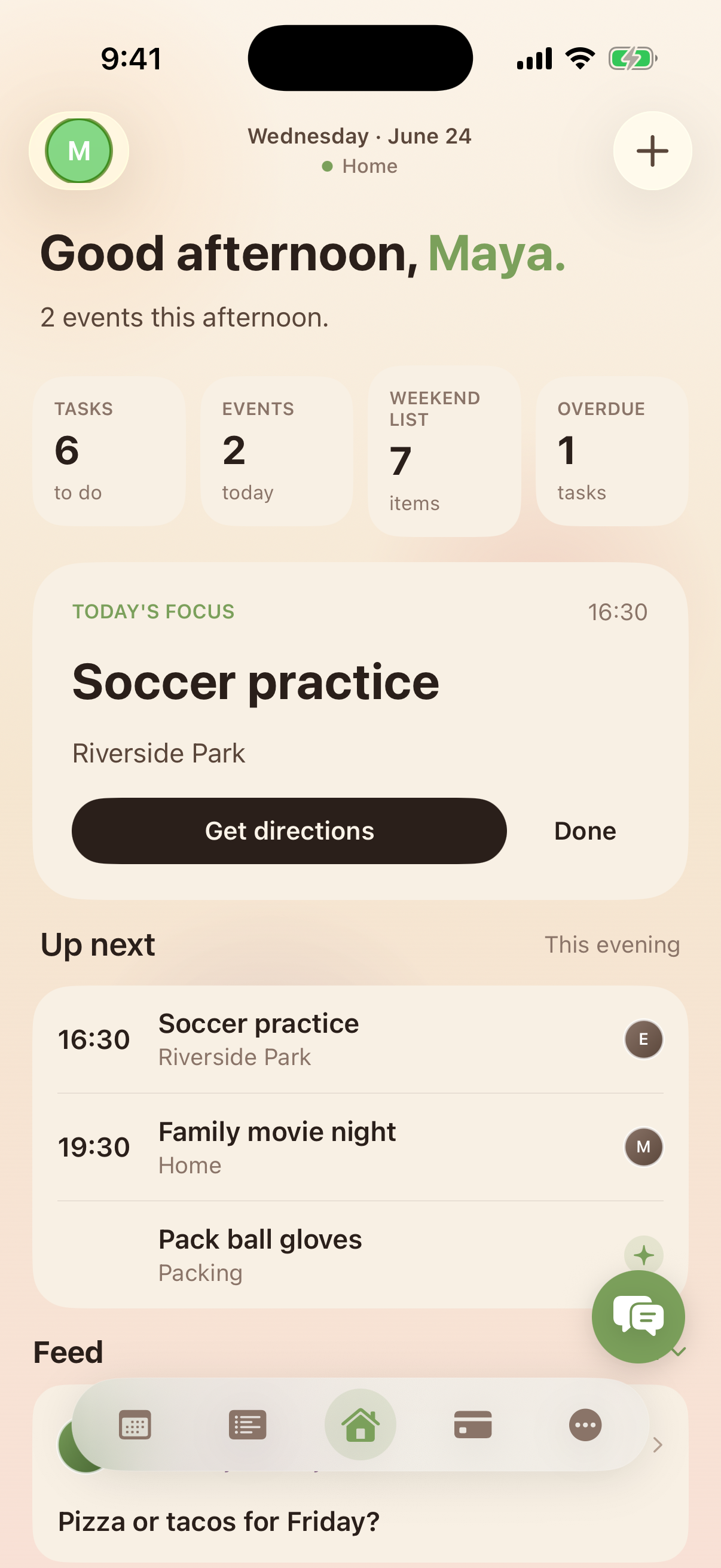
Kinrows is a household organizer covering calendar, lists, pantry, budget, trips, family polls, chores and allowance, care coverage requests, notes, messages and an optional AI Concierge. It is iPhone-only, free for the whole household's core features, and launches in September 2026. It does not include a photo-album feature or live location sharing beyond trip arrival notifications.
FamilyWall's genuine strengths, and where it frustrates people
FamilyWall's breadth is real: reviewers who stick with it credit it with genuinely helping coordinate care for a parent over years, not weeks. But instability is the single most repeated complaint in 2026: “App keeps crashing after latest update. So annoying!” (an App Store reviewer, 3 stars, App Store US, 2026-08-24). Another reviewer, having just paid for a year's subscription, described post-update crashes preventing any calendar use at all and called the situation a “Scam” despite payment (App Store US, 2026-08-25).
A second cluster is onboarding: “I've just downloaded this app and I can't invite my family members to join. Everyone I try it just closes that screen mid typing.” (an App Store reviewer, 1 star, “What the heck?,” App Store US, 2026-07-21). Another reviewer reported the opposite problem: “There's a button for leaving but it doesn't work,” unable to leave a Circle once joined (an App Store reviewer, 1 star, App Store US, 2026-06-15). A third recurring theme is the paid tier itself — reviewers describe being asked to subscribe just to add a second family member for basic features (an App Store reviewer, 1 star, “Dumb,” App Store US, 2026-09-01).
Choose FamilyWall if…
- Your household needs photo albums, live location sharing and finance tracking alongside the calendar, in one app — features Kinrows doesn't offer at this depth.
- You're coordinating care for an ageing parent across several family members and value FamilyWall's specific track record there.
- You're on Android, or need something available today rather than a 2026 launch.
- You've weighed the crash and invite-flow complaints above and are willing to accept that reliability risk for the broader feature set.
Choose Kinrows if…
- You want a calendar, lists, pantry, budget, chores and allowance and family polls free for the whole household, without paying to add a second family member.
- You'd rather join through a simple household invite code and a separate, unlimited “clan” model for extended family, so groups only overlap through shared members.
- You want care coordination — like arranging babysitting or covering a pet — handled as a structured request with a proposed time window, approvable from a share link with no app required.
- You're an iPhone household who can wait for a September 2026 launch.
Kinrows vs FamilyWall at a glance
| Kinrows | FamilyWall | |
|---|---|---|
| Price for the whole household | Free core app; Concierge add-on $4.99–$9.99/mo | Free to download; paid Premium tier (price not publicly listed) |
| Ads | — | not stated |
| Android app | — | Yes |
| Two-way sync with your phone's calendar | Yes | own shared calendar; device sync not confirmed |
| Shared lists | Yes | yes — reviewers report duplicate-item and category bugs |
| Chores / allowance tracking | yes, fixed weekly allowance, non-punitive | task/chore lists; no stated allowance system |
| Meal planning / pantry | yes, pantry-aware recipe ideas | meal planner (Premium); no pantry tracking |
| AI assistant that takes actions | yes, Concierge (paid add-on) | — |
| Data used to train AI | — | not stated |
| Hardware required | — | — |
| Maturity / launch status | pre-launch, opens September 2026 | established, live today |
Coordinating care without a broken invite flow
FamilyWall's reviewers most value it for exactly this: keeping several family members aligned on caring for someone, over years. Kinrows' Care coverage feature asks your care team for babysitting, pet or house coverage with a proposed time window; a helper can approve it from a share link with no app install, or in-app if they're already a household member, and an approved window lands on both calendars automatically. Household invites use a simple code, and separate “clans” let extended family coordinate without ever seeing your household's private budget or other sensitive data.
Frequently asked questions
Is FamilyWall or Kinrows more reliable?
FamilyWall's own reviewers report frequent crashes after updates, particularly affecting the calendar and grocery-list screens, as recently as August 2026. Kinrows hasn't launched yet, so there's no usage history to compare directly — treat any reliability claim about a pre-launch app, including Kinrows, as unproven until it ships in September 2026.
Which is better for elder-care coordination?
FamilyWall has a specific, credible track record here — reviewers describe using it for years to coordinate care for an ageing parent. Kinrows' Care coverage feature handles specific requests, like a babysitting or house-sitting window, well, but it isn't built around the broader elder-care coordination FamilyWall's long-time users describe, so FamilyWall is the safer choice for that particular need today.
How do invite/circle flows compare?
FamilyWall reviewers report both ends of the same problem: some can't invite family members at all, and others can't leave a Circle once they've joined, despite a working-looking button. Kinrows uses a household invite code plus separate, invite-code “clan” groups for extended family, designed so different groups never see each other's people or content — but this hasn't been tested against real users at FamilyWall's scale, since Kinrows hasn't launched.
Is FamilyWall really free?
The app is free to download and use at a basic level, but budget tracking and meal planning sit behind a paid Premium tier, and some reviewers report needing to pay just to add an additional family member for basic features. FamilyWall doesn't list its current subscription price publicly. Kinrows' entire core app, including pantry-aware recipes and budget tracking, is free for the whole household; only the optional AI Concierge is paid.