
How-to
How to share a calendar with a partner who won't use it
A shared calendar usually fails because it asks your partner to open a new app and change a habit before it can help them. The fix is to stop sharing a personal calendar by permission and instead set up two-way sync, so events flow both ways between whatever calendar app each of you already opens by default. Your partner never has to switch apps, and you never have to wonder whether they saw what you added. A weekly two-minute check-in together closes the rest of the gap.
Key takeaway: Sync into the calendar your partner already opens — don't ask them to open a new one.
Why "just share your calendar" usually fails
The standard advice is to share your personal Google or Apple calendar with your partner. On paper this works. In practice, people report exactly the failure you'd expect: a Google Calendar Community thread is literally titled "My family can't see my events I added to shared calendar. I can see theirs." Sharing settings are asymmetric, permissions get set once and never revisited, and updates can show up on the web but not on a phone. None of this is your partner being careless — it's what happens when "shared" means "one person's calendar with a guest added," not a calendar built to be joint from the start.
There's also a second, harder truth worth naming honestly: a calendar that technically syncs doesn't fix an imbalance in who does the planning. As one widely read essay on the topic puts it, "relationship problems can masquerade as logistical problems, and no calendar feature is going to cure a partner of [not sharing the load]." A sync fix removes the technical excuse. It doesn't do the rest of the work for you.
What actually gets a reluctant partner to look at it
People who've solved this describe the same pattern: the calendar that gets checked is the one that was already open. If your partner glances at their phone's built-in calendar app before work each day, that's the calendar to put events into — not a second app they have to remember exists. One Reddit comment on this, reported by uninfluencedreview.com, put the incentive problem bluntly: "if your husband won't use a free shared calendar, why would he use the expensive shared calendar?" Adding a paid or more elaborate tool rarely fixes an adoption problem; meeting someone where they already look does.
Two-way sync vs. permission-sharing (the real difference)
These sound similar and behave very differently:
- Permission-sharing gives someone view or edit access to your personal calendar. It depends on a setting staying correctly configured on both ends, and it usually only flows one direction in practice — your events reach them, but their existing phone events don't reach you.
- Two-way sync treats both calendars as sources of truth. An event added on either side appears on the other automatically, and each person keeps using the calendar app already installed on their phone.
If your current setup is the first kind and it isn't working, that's not a settings problem to keep troubleshooting — it's the wrong mechanism for what you're trying to do.
A 10-minute setup that doesn't require their buy-in first
You can start this without a conversation:
- Pick one shared calendar as the household's source of truth — a new Google Calendar works fine, or a family organizer app built for this.
- Turn on two-way sync so it reads from and writes to each phone's default calendar automatically, rather than asking either of you to check a separate screen.
- Add the next two weeks of known events yourself, so there's something real to look at.
- Set a five-minute weekly time — Sunday evening works for a lot of households — to look at the week together and add anything missing.
The goal isn't to get your partner to adopt a new habit on day one. It's to make the calendar show up somewhere they were already going to look.
How Kinrows helps
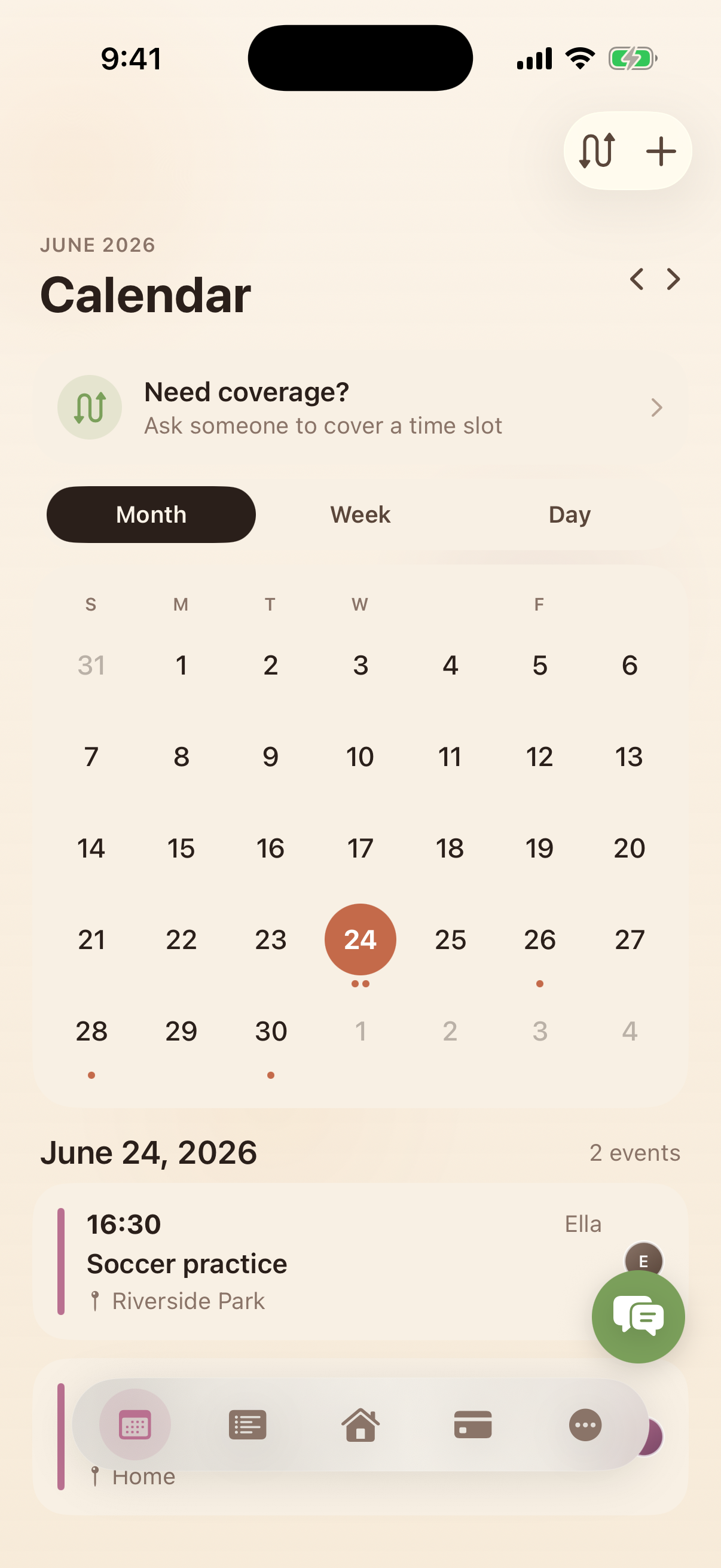
Kinrows' household calendar syncs both ways with each person's own phone calendar, so events added in Kinrows appear on a partner's existing iPhone calendar automatically, and events already on their phone can be shared into the household view — no separate app-checking habit required. Each person's events get their own colour, so at a glance it's clear who has what, without opening anything up to ask. It doesn't fix an unequal planning load by itself; it removes the excuse that the calendar technology is what's in the way.
Frequently asked questions
Why can't my partner see events I add to our shared calendar?
Most often this is a permission-sharing setup rather than true two-way sync: your calendar is shared with them, but their phone's own calendar isn't syncing back, or the sharing permission has quietly reset. A Google Calendar Community thread titled "My family can't see my events I added to shared calendar. I can see theirs" describes exactly this asymmetry. Switching to a calendar built for two-way sync, rather than one-directional sharing, usually resolves it.
Do we both have to use the same app?
No, as long as whatever you use supports two-way sync with each phone's built-in calendar. That way you can keep using different apps day to day and still see the same events, because updates flow automatically in both directions instead of depending on one person opening a second app.
What if my partner just won't look at any calendar?
Start by putting events on the calendar app already on their phone, via sync, rather than a new one — that removes the most common excuse. If they still won't look, that's usually a planning-load conversation rather than a tool problem; as one essay on the topic notes, a calendar feature can't fix a partner not sharing the load, only make the technical side stop getting in the way.
Is a shared calendar enough to fix an unequal mental load?
On its own, no. A shared calendar removes the technical barrier — both people can see the same events without extra effort — but who remembers to add things, follows up, and plans ahead is a separate, human problem. Treat the calendar as removing one obstacle, not as a fix for how the planning work is divided.