
Questions
Why Doesn't My Shared Calendar Show on My Partner's Phone?
This is almost always a permission problem, not a bug. Apps like Google Calendar let you share your personal calendar with view or edit permissions rather than creating one calendar both people natively belong to, so new events can lag, fail to sync on mobile while showing fine on the web, or only ever appear on the device where they were entered. Checking your sharing settings usually explains it. A calendar built from the start as one shared object, rather than a personal calendar with permissions layered on afterward, avoids the problem entirely.
Why this happens: permission-sharing vs. a native shared calendar
Most "shared" calendars aren't actually shared in the sense most people expect. Google Calendar, for example, lets you share your own personal calendar with someone else and set their permission level — see only free/busy times, see all details, or make changes. Your partner isn't a co-owner of the calendar; they're a guest looking at your calendar through a permission you granted. That distinction explains a lot of confusing behaviour.
A Google Calendar Community thread titled "My family can't see my events I added to shared calendar. I can see theirs" captures the asymmetry well: one person's edits propagate, the other's don't, even though both people believe they're looking at "the same" calendar. A separate thread, "Google Calendar events disappear from phone, show up fine on website," points to a second, related cause: the mobile client and the web client don't always refresh a shared or subscribed calendar on the same schedule.
What to check on your own device first
- Confirm the invite was accepted, not just sent. A pending share shows nothing until your partner opens the invite email or notification and adds the calendar.
- Check whether it's "shared with me" or "added as a subscription." Subscribed calendars (the kind added via a public or "secret" iCal link) often sync on a much slower schedule — sometimes once every 24 hours — rather than updating the moment something changes.
- Check the permission level, not just visibility. "See only free/busy" will hide event titles and details even though the calendar technically appears.
- Compare the phone's native calendar app against the web version. If events show on the website but not the phone, the mobile app's sync cycle — not the sharing setup — is usually the culprit.
What a native shared calendar does differently
The structural fix is a calendar that isn't "my calendar, shared with you" in the first place. When a household calendar is one shared object that every member natively belongs to — rather than one person's personal calendar with permissions bolted on — there's no owner/guest asymmetry to go stale, and no separate sync schedule for the person who didn't create the event. Everyone reads and writes the same record, so an event added by one person is simply on the calendar, not "shared into" someone else's view of it.
If checking settings doesn't fix it
Sometimes the sharing setup is correct and the calendar still feels one-sided — one partner adds every event, the other never opens the app to look. That's a separate, non-technical problem: a calendar can be perfectly synced and still go unread. If settings check out and events genuinely are appearing on both accounts, the remaining gap is usually about whether the calendar is somewhere a reluctant partner will actually look, which is a habits problem more than a sync problem.
A calendar everyone belongs to, not one shared with permissions
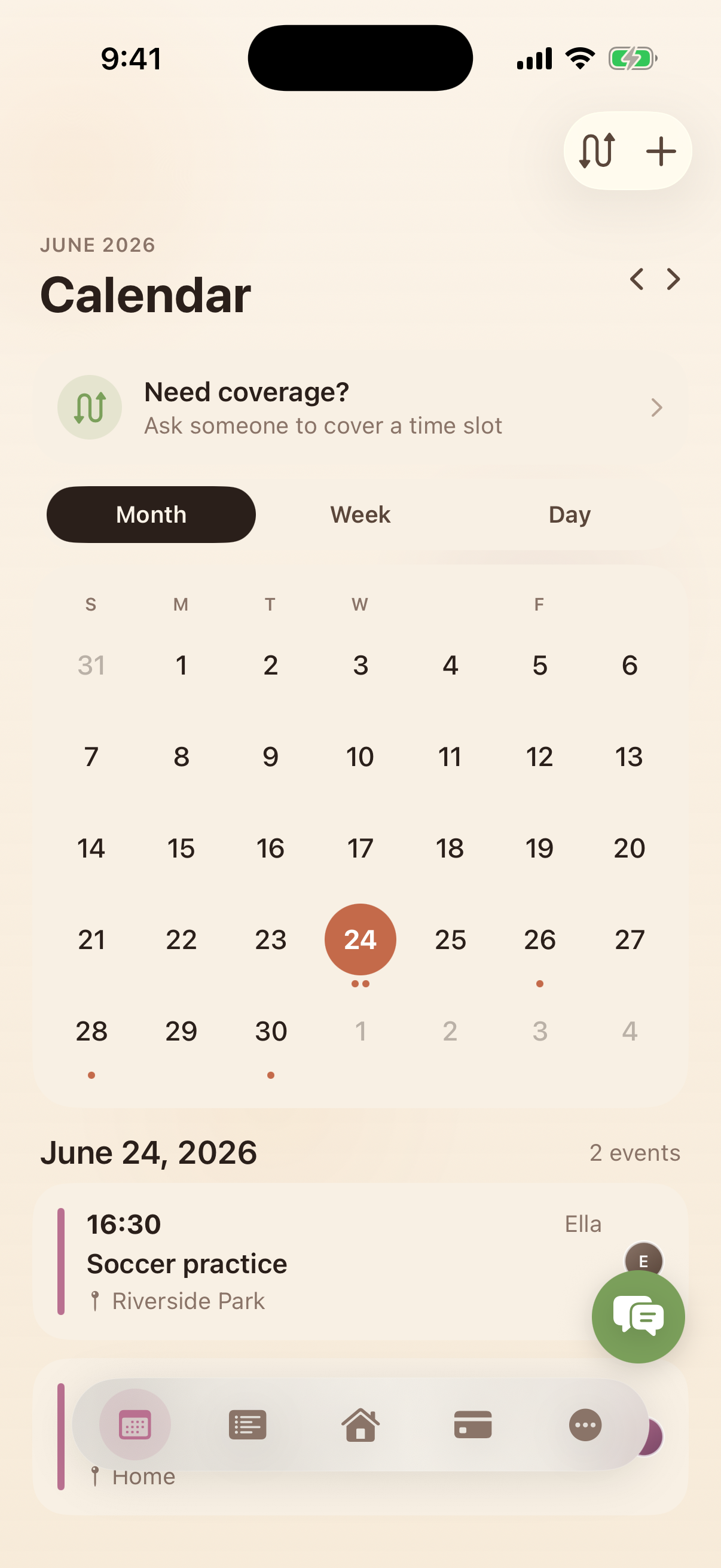
Kinrows' household calendar is one shared calendar every household member is part of from the start — not a personal calendar with view or edit permissions handed out afterward. Events carry per-person colour coding so it's clear at a glance who added what, and recurring events, week and month views work the same way for everyone looking at it. Two-way sync with each person's own phone calendar means a partner's existing events show up on the household calendar without them having to change how they use their phone.
Frequently asked questions
Why can't my partner see events I add to our shared calendar?
Most often because they're viewing your personal calendar through a shared permission rather than a calendar you both natively belong to, and either the invite hasn't been accepted, the permission level is set to free/busy only, or their app hasn't refreshed the subscription yet.
Why do events show on the web but not on mobile?
Mobile apps and web clients don't always sync a shared or subscribed calendar on the same schedule — some subscriptions refresh only once every 24 hours on mobile, while the web version pulls live. This is a known pattern in Google Calendar community threads about the same symptom.
Is this fixable, or is it a limitation of the app?
It's usually fixable by re-checking the share settings, permission level, and whether the invite was actually accepted. But if the app treats a shared calendar as a personal calendar with permissions rather than one calendar both people own, occasional lag or missed syncs are a structural risk, not a one-time bug.