
Questions
Why Isn't My Grocery List Updating on My Partner's Phone?
A shared list that shows different contents on different phones is usually relying on local caching or best-effort background sync rather than a single server copy every device reads live. That's why the same item can look crossed off on one phone and still there on another, or why two people adding groceries at the same time both end up on the list twice. Checking your connection and app version can help, but the underlying fix is a list architecture where every device reads and writes one shared record instead of syncing separate local copies.
What's actually happening when a list looks out of sync
Most shopping-list apps keep a local copy of the list on each phone for speed, then sync that copy to a server and to other devices in the background. When that background sync is delayed, fails silently, or resolves a conflict badly, the two phones disagree about what's actually on the list — even though both people believe they're looking at the same thing.
This is exactly what AnyList reviewers describe: "Purchased items are crossed off the list on one phone but still appear as unpurchased on the other" (an App Store reviewer, 2-star App Store review, 2026). Another reviewer described a more dramatic version of the same failure: "Then hours later, when I went to look at the list on my phone, it had not yet crossed over... So we opened his list up again, so I could transcribe it into my phone and his list flickered and disappeared" (an App Store reviewer, 1-star App Store review, 2026).
Quick things to check first
- Connectivity on both phones. A weak connection can leave a background sync half-completed, which is when items "flicker" or disappear.
- App version. If one phone hasn't updated, it may be running an older sync protocol than the other.
- Force-close and reopen the app on the phone that's behind, rather than trusting a background refresh to catch up on its own.
- Re-add the shared list if one device seems permanently stuck — a fresh join to the shared list is often faster than waiting out a broken sync.
Why duplicates happen even when sync eventually works
Duplicate items are a related but distinct symptom: two people add "milk" within moments of each other, each phone's local copy accepts the addition immediately for responsiveness, and when the two copies reconcile, the app doesn't recognise them as the same item. This is a design trade-off, not a rare glitch — any list built around local-first copies that sync afterward will occasionally produce this exact failure. Another AnyList reviewer described the same category of problem from a different angle: "Updates will occasionally erase list memory" (an App Store reviewer, 1-star, "Frustrating," App Store US, 2026) — a sign that the reconciliation step can lose data outright, not just duplicate it.
What a server-scoped list avoids by design
A list where every device reads and writes one server-held copy, rather than syncing separate local copies against each other, removes the reconciliation step where these bugs live. There's one version of the list; a check-off from any phone is the same check-off everyone sees, because there's nothing else to disagree with.
One list, read live by every device
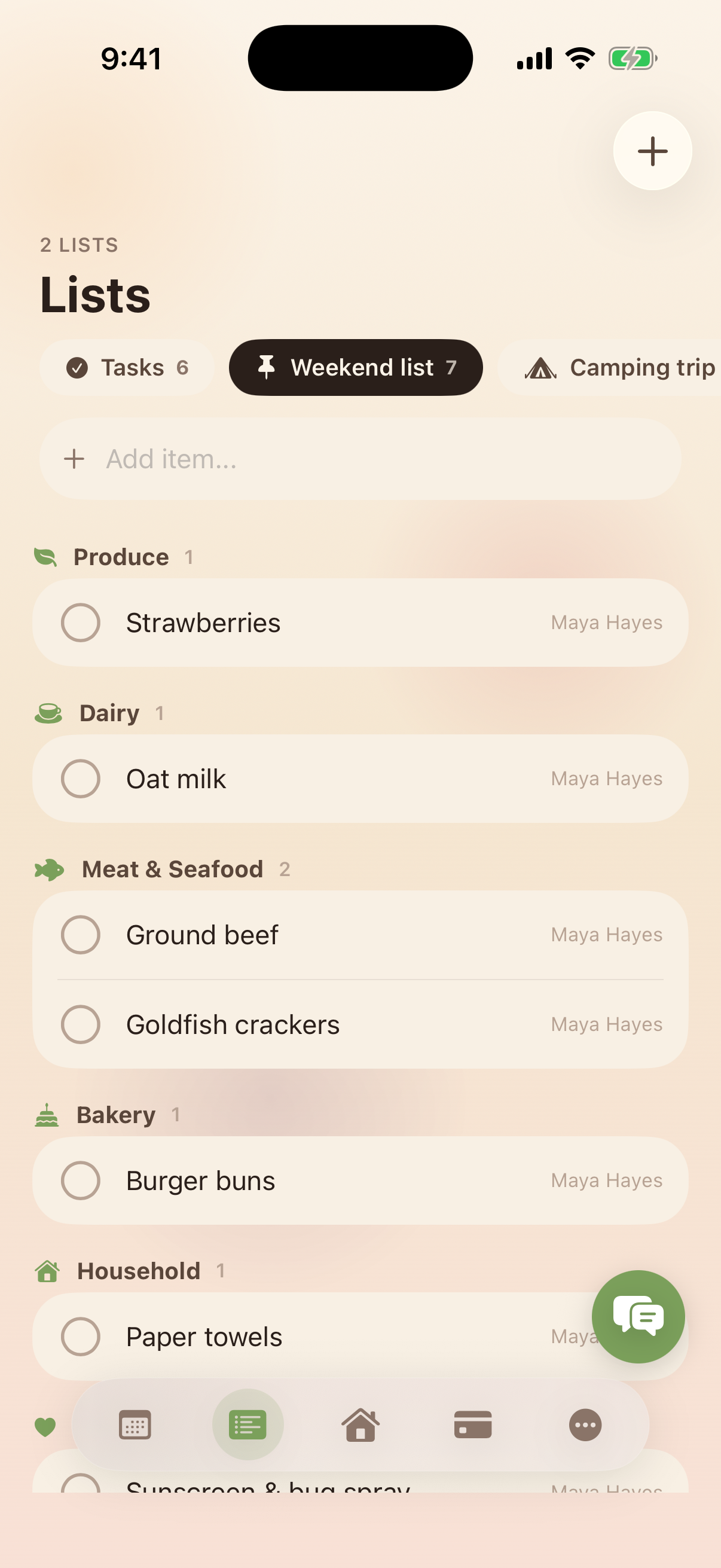
Kinrows Lists are server-scoped: unlimited named lists that every household member reads and writes as the same record, validated against the household on every change rather than synced between separate local copies. Grocery-style lists auto-categorize items, can be pinned to the dashboard, and items can be dragged between lists. This doesn't promise zero latency on a bad connection, but it removes the local-copy reconciliation step that produces crossed-off-on-one-phone and duplicate-item bugs in the first place.
Frequently asked questions
Why do items get crossed off on one phone but not another?
The app is likely relying on background sync between separate local copies of the list rather than one shared copy every device reads live. If that sync lags or fails, one phone's crossed-off state doesn't reach the other until the next successful sync, which can be minutes or, per some reviewers, hours.
Why does my list show duplicate items after adding something?
This usually happens when two people add the same item within a short window and the app's local-first copies don't recognise the additions as duplicates once they sync. It is a known trade-off of local-copy-then-sync architectures rather than a rare bug.
Is there a shared list that syncs reliably?
Look for a list built as one server-held record that every device reads and writes directly, rather than an app that syncs separate local copies in the background. That architecture removes the conflict-reconciliation step where crossed-off and duplicate-item bugs tend to originate.