
How-to
How to fix a shared grocery list that keeps getting out of sync
A shared grocery list that shows different items on different phones almost always means the app is trying to merge separate local copies rather than having every phone read the same list from one server. That's what causes duplicates, items that reappear after being deleted, and things crossed off on one phone but still sitting there on another. The fix isn't a setting to toggle — it's a list architecture where there's one list, not several copies being reconciled after the fact.
Key takeaway: Duplicate and ghost items are a sign of copies being merged, not one shared list.
What "not syncing" actually means under the hood
Most shopping list apps started as single-user apps and had sharing added afterward. Under the hood, each phone often keeps its own local copy of the list, then tries to reconcile changes with everyone else's copy in the background. Most of the time that works well enough that you don't notice. The failures show up specifically when two people edit around the same time, or when a sync cycle gets interrupted — which is exactly when a shared grocery list gets used, since it's often edited by more than one person while actually at the store.
The three failure patterns (duplicate items, ghost items, items that don't cross off)
These show up constantly in App Store reviews for popular list apps, and they map to the reconciliation problem above:
- Duplicates: a FamilyWall reviewer described adding an item and getting three copies of it: "When we try to Add anything it makes three of the same items and gets rid of the category."
- Ghost items and lost data: an AnyList reviewer wrote that "Updates will occasionally erase list memory," and another described a list flickering and disappearing entirely mid-edit.
- Items that won't cross off everywhere: a different AnyList reviewer described the exact symptom: "Purchased items are crossed off the list on one phone but still appear as unpurchased on the other."
None of these are the same bug, but they share a cause: two devices each holding their own version of the truth.
What a server-scoped list looks like instead
The alternative is a list that lives on a server, where every phone reads and writes the same record rather than keeping a local copy to reconcile later. Practically, that means: an item you add shows up on your partner's phone within a second or two, not after a background sync cycle; crossing something off updates it everywhere at once, because there was only ever one "off" to set; and there's no local copy that can drift out of step, because there's nothing local to drift. This is a structural choice made when the app is built, not something you can configure your way into on top of a locally-stored list.
Moving your list over without losing what's on it
If you're switching apps because of sync problems, don't start from zero. Before you migrate: take a screenshot or export of your current list categories (produce, dairy, household) if the old app supports it; add your regular staples first in the new list, since those are the items you'll notice missing fastest; and give the new list a week of real grocery trips before fully retiring the old one, so you have a fallback if something's missing. Most of the friction in switching is re-typing recurring items, not the switch itself.
How Kinrows helps
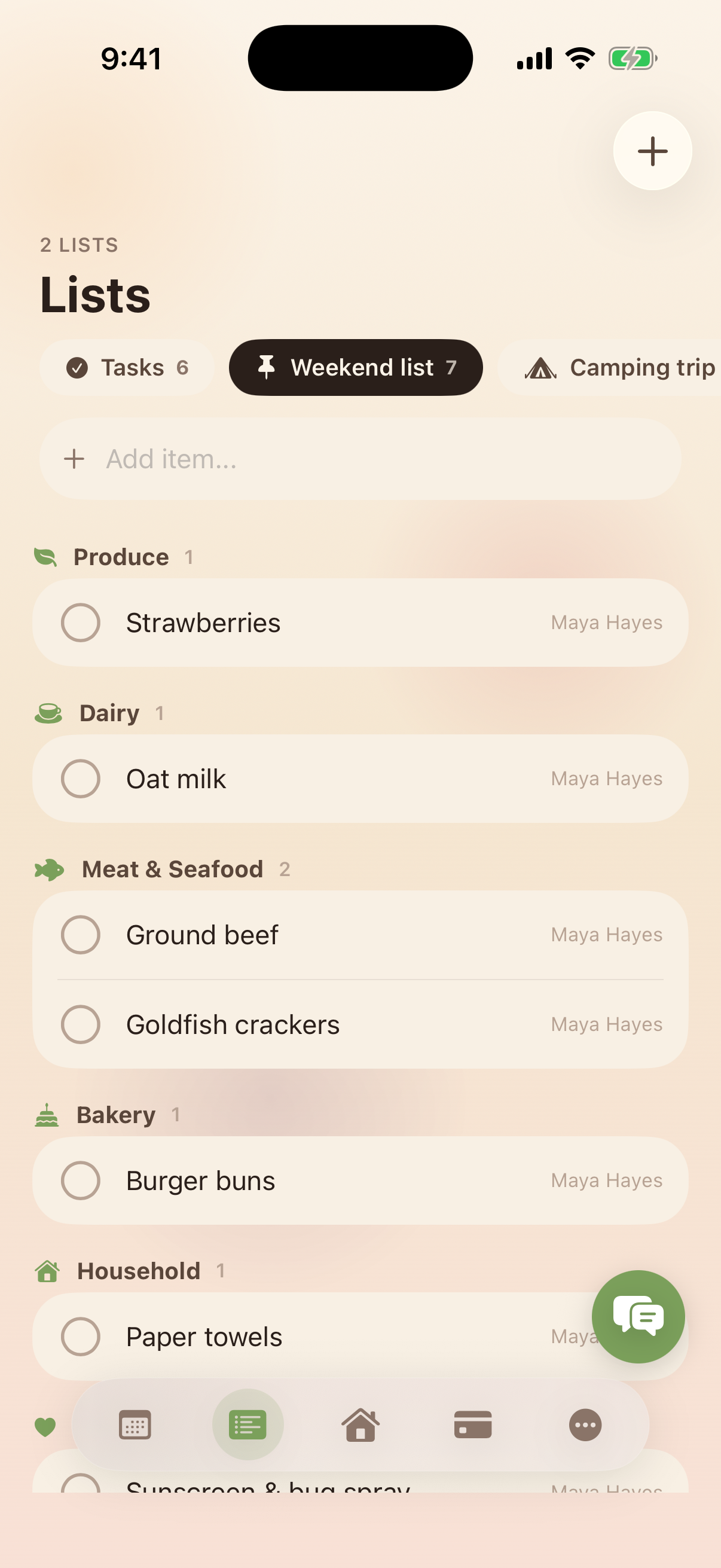
Kinrows lists are server-scoped and validated against your household on every write, so there's one list, not a copy per phone being merged. An item added by one person shows up for everyone, crossing it off updates it everywhere at once, and grocery items get sorted into categories automatically. You can keep unlimited named lists, pin the ones you check daily to the home screen, and move items between lists without retyping them. This doesn't promise a list can never have a bug — it means the underlying design isn't the kind that causes duplicate or ghost items in the first place.
Frequently asked questions
Why does my grocery list show different items on each phone?
This usually means the app keeps a separate local copy of the list on each device and reconciles them in the background rather than having every phone read one shared list from a server. When two people edit around the same time, or a sync cycle is interrupted, the copies can drift apart. A list built to be server-scoped from the start avoids this because there's only ever one copy to read.
Why do items get crossed off on one phone but not another?
An AnyList reviewer described this exactly: items crossed off on one phone still appearing as unpurchased on another. It happens when "crossed off" is stored per device rather than as one shared field everyone reads. A list where every device writes to the same record doesn't have two versions of "crossed off" to disagree about.
Why does my shared list keep making duplicates?
Duplicates usually happen when an add action gets applied more than once during a sync retry, which is more likely when the list is being reconciled between separate local copies rather than written directly to one shared list. A FamilyWall reviewer reported this exact pattern: adding one item and getting three.
Is there a shared grocery list app that actually stays in sync?
Look for one built around a server-scoped list rather than local copies synced after the fact — that architecture choice, not a specific settings toggle, is what prevents duplicate and ghost items. Ask specifically how the app handles two people editing the list at the same time, since that's when sync problems usually surface.